
so I need to install DOS, windows 3.1, Print Shop Deluxe III, and a printer driver onto this Pentium II laptop.
Difficulty: The system has a dead CD-ROM drive. It does have a floppy drive, however... but that's a lot to move via floppy.
It's a win98-era laptop. It has USB, serial, parallel, PS/2, dual PCMCIA slots, floppy, DVD (broken), and a docking connector.
So now my challenge is: How do I get this software onto the machine without having to slowly write something like 10 floppy disks?
I don't know if there's any software I could install that'd let me use the USB ports.
well, any software short of Win98. I'd love to have win98 on here, but HOW DO IT GET IT OVER THERE?
so probably I copy over something that'll let me null-modem the serial to my main laptop
if I had access to my PCMCIA cards I could plug in an ethernet card and network stuff over.
but I don't
did my USB floppy drive just die on me?!
I'll have to switch to one of my many other USB floppy drives.
SO FUN FACT: if you let this machine spin down the hard drive (which it'll do as soon as there's 5 minutes of no activity), it can't spin it back up!
so if you get delayed providing the requested Disk 2 of DOS 6.22 because your USB drive died, and it has to wait for over 5 minutes... the drive will spin down and not come back up.
so the installer will read the files off the drive and then completely fail to write them to the disk! and you have to start over again!
I fixed this setting in the BIOS but the CMOS battery is dead which means if you leave it powered off for more than like 30 seconds, it resets all the values and turns it back on for you
COMPUTERS ARE FUN
28 year old laptops even moreso
I finally finished installing DOS 6.22 onto it
and then the hard drive failed
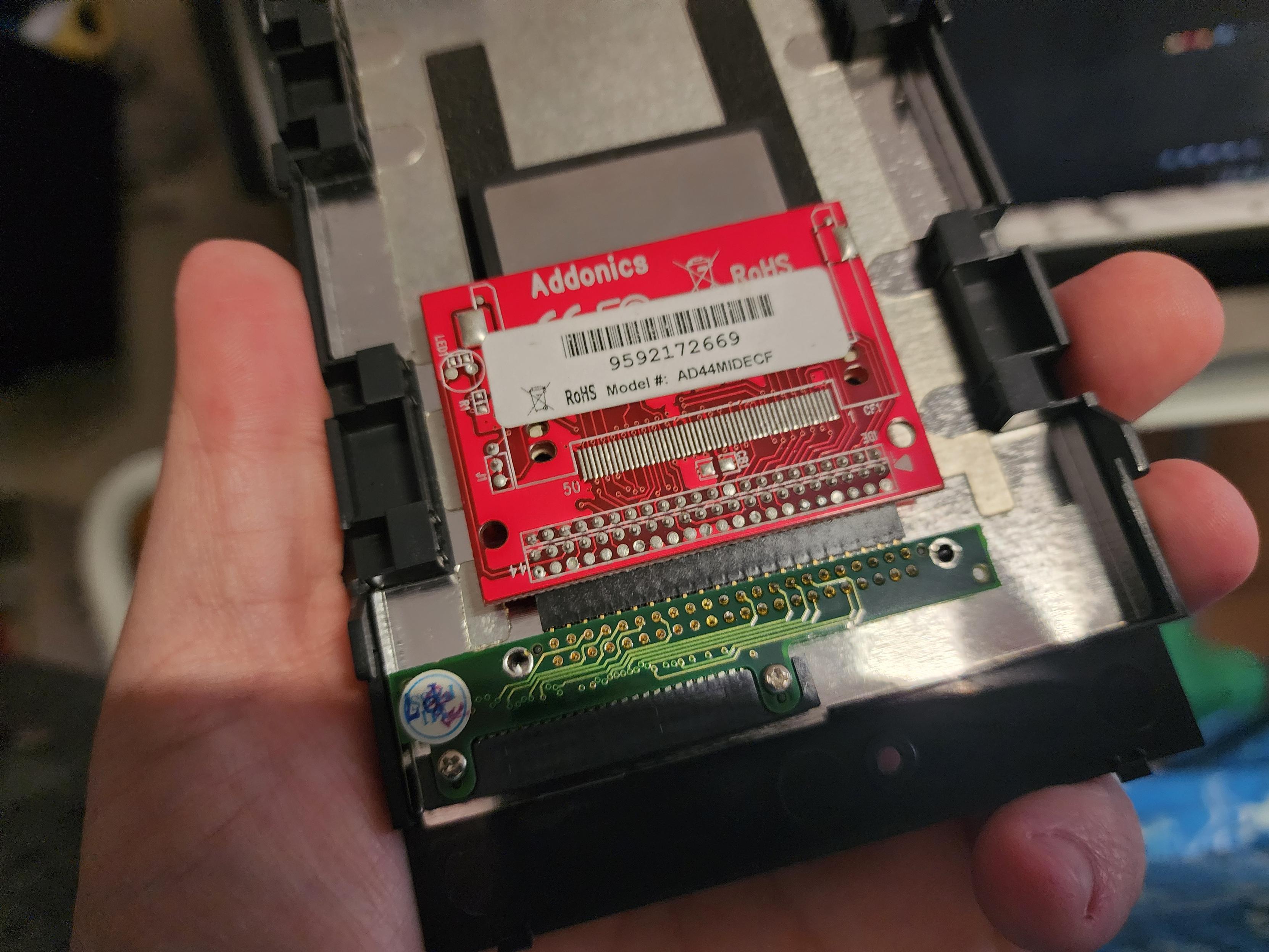
I think I have a CF to 44pin IDE adapter somewhere
alice! hey alice.
future alice listen to me: when you do set up the CF to 44pin thing, partition and format it using the DOS disk in the laptop, then remove it again connect it to your laptop and just copy over windows 98 or whatever. don't deal with serial or floppies


@evilstevie some of the ipods (the Minis, I think?) used tiny hard drives with a CF connector. Upgrading them to a real CF card was a common upgrade path